 I think advertising man David Ogilvy would have enjoyed online marketing for the instantaneous feedback it provides. His rules about advertising weren’t based on opinion, but years of research.
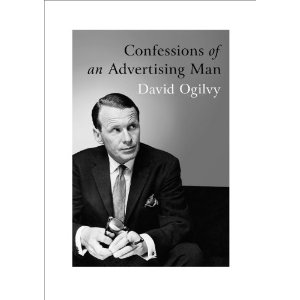
Ogilvy’s advice on headlines is as relevant today as in 1963, the year he published his book, “Confessions of an Advertising Man.” Ogilvy stresses the importance of the headline in a chapter on writing potent copy. “Five times as many people read the headline as the body copy. If you haven’t done some selling in your headline, you will have wasted 80 cents out of your client’s dollar.” For every ad he never wrote fewer than 16 headlines.
Rule No. 1: “The headline is the ticket on the meat.”
Ogilvy promoted the use of keywords in the headline, before keywords were keywords. “If you are selling a remedy for bladder weakness, display BLADDER WEAKNESS in the headline. If you want mothers to read your advertisement, display MOTHERS in your headline.”
Rule No. 2: “Every headline should appeal to the reader’s self-interest.”
Ogilvy insisted headlines provide a benefit to the reader. If your headlines aren’t offering a benefit, scrap them. A reader may not care that your machine has new engine (feature), what he cares about is five percent greater fuel efficiency (benefit).
Rule No. 3: Always try to inject news into your headlines.
“The two most powerful words you can use in headlines are FREE and NEW. You can seldom use FREE, but you can almost always use NEW – if you try hard enough.” With new technologies being developed faster than ever before in our markets, Ogilvy’s message stands the test of time. B2B buyers need to know about new products and services, so don’t leave it out of your headline.
Rule No. 4: Other words that work
“HOW TO, SUDDENLY, NOW, ANNOUNCING, INTRODUCING, IT’S HERE, JUST ARRIVED, IMPORTANT DEVELOPMENT, IMPROVEMENT, AMAZING, SENSATIONAL, REMARKABLE, REVOLUTIONARY, STARTLING, MIRACLE, MAGIC, OFFER, EASY, WANTED, CHALLENGE, ADVICE TO , THE TRUTH ABOUT, COMPARE, BARGAIN, HURRY, LAST CHANCE.”
Look at your best read posts and pages. Do the headlines include any of these words? Ogilvy told writers,”They may be shipworn, but they work.”
Rule No. 5: Include the brand in the headline.
If they only read the headline, you want them to at least know the brand name.
Rule No. 6: Include the selling promise in your headline.
Ogilvy didn’t strive away from a longer headline if it included the selling promise. Over time I think headlines have gotten shorter, and perhaps less effective. According to Ogilvy his best headline was 18 words. At Sixty Miles an Hour the Loudest Noise in the Rolls Royce Comes from the Electric Clock.
Rule No. 7: Headlines should arouse curiosity.
Successful headlines lure a prospect to read on.
Rule No. 8: Avoid tricky headlines.
Ogilvy wasn’t a fan of puns, literary illusions or other obscurities. “This is a sin,” he said.
Rule No. 9: Avoid negatives in headlines.
Ogilvy felt it was too easy for readers to miss the negative and come away with a different meaning from the headline.
Rule No. 10: Avoid blind headlines.
Ogilvy didn’t like what he called “blind headlines.” These were headlines that required further reading to figure them out. “Most people don’t (read on),” said Ogilvy. With website visitors spending less than 20 seconds reading an average web page, this is probably good advice.
Traditional advertising may not be as effective as it once was, but Ogilvy’s headline rules have a lot of relevance for writers of blog posts, website pages, B2B articles and even social media posts. What types of headlines work best for your business? With website analytics you have more information than ever before to see what headlines engage readers. Use it to your advantage. I think Ogilvy would have.